Guide
Complete Guide to Subdomain Setup
Set up a subdomain the safe way: choose the right record type, point it at the correct destination, verify propagation, and finish with HTTPS.

Set up a subdomain the safe way: choose the right record type, point it at the correct destination, verify propagation, and finish with HTTPS.
This guide is for teams publishing a docs site, status page, product preview, or internal tool behind a real public hostname.
When a subdomain request is reviewed on and.guide, the same pattern shows up again and again: the name is usually fine, but the destination plan is fuzzy. People know they want docs, preview, or notes, but they have not yet decided whether the host should point to an IP, a platform hostname, or a service that is already ready for HTTPS.
The safest rollout is boring on purpose. Decide the name, choose the correct record type, confirm the destination, then verify both DNS and HTTPS before you call the job done.
Pre-flight checklist
Before creating the record, make sure you can answer all four of these:
- what exact hostname will be public
- whether the destination expects an A record or a CNAME
- whether the origin or platform already accepts that hostname
- how HTTPS will be issued for that exact host
If any of those answers is fuzzy, the DNS record is probably not the first thing you should change.
Who this is for
Use this workflow if you are setting up:
docs.example.comfor a documentation sitestatus.example.comfor a public status pagepreview.example.comfor a release previewapp.example.comfor the main product hostname
If you already know the hostname, the destination, and the certificate plan, the rest is just disciplined verification.
The order that prevents most mistakes
Treat a new subdomain as four separate checks:
- choose a name that will still make sense later
- point it with the right DNS record
- confirm the destination accepts that host
- finish with HTTPS and browser checks
Skipping that order is what creates the classic “DNS is broken” panic when the real issue is origin routing or certificate coverage.
1. Choose the hostname before you touch DNS
Start with the public purpose, not the infrastructure.
Good examples:
docs.example.comstatus.example.compreview.example.comapi.example.com
Weak examples:
site2.example.comtemp-final.example.comnew-prod.example.com
If the name feels temporary on day one, it usually becomes confusing debt later.
2. Match the record type to the destination
For most developer setups, the real choice is simple:
- use an A record when you are pointing to a stable IPv4 address
- use a CNAME when a provider gives you another hostname
Example:
app.example.com.    300    IN    CNAME    my-app.pages.dev.
api.example.com.    300    IN    A        203.0.113.42
The practical rule is not “what do I prefer?” It is “what does the destination expect?”
If a platform tells you to point at project.hosting-provider.example, do not reverse-engineer a hidden IP and call that cleaner. The hostname is the stable contract.
3. Confirm the destination before publishing
DNS only sends traffic somewhere. It does not prepare the app behind it.
Before you save the record, confirm:
- the app or server is reachable
- host-based routing is configured for the new hostname
- the platform can issue or attach HTTPS for that exact host
- redirects and callbacks are ready for the final public URL
For manual review, this is often the difference between a credible request and a vague one. “It will point to our docs deployment on Pages and already has HTTPS enabled” is much easier to trust than “we will figure out the rest later.”
Example host binding that often gets forgotten
DNS can be perfectly correct while the origin still serves the wrong site. A simple reverse-proxy or web-server host binding often looks like this:
server {
  listen 443 ssl http2;
  server_name docs.example.com;

  ssl_certificate /etc/letsencrypt/live/docs.example.com/fullchain.pem;
  ssl_certificate_key /etc/letsencrypt/live/docs.example.com/privkey.pem;

  location / {
    proxy_pass http://127.0.0.1:3000;
    proxy_set_header Host $host;
  }
}
The exact stack does not matter here. The important part is that the destination must already know what to do with docs.example.com.
4. Use a short TTL while you are still changing things
For active rollout work, 300 seconds is a practical default.
That does not make propagation instant, but it shortens the time resolvers can legally hold the previous answer. Once the setup is stable, longer TTL values are fine.
5. Verify DNS from the command line
After saving the record, verify the actual answer before opening the browser:
dig app.example.com
dig +short app.example.com
dig app.example.com CNAME
Typical good output for a CNAME-based setup looks like this:
app.example.com.    300    IN    CNAME    my-app.pages.dev.
my-app.pages.dev.   300    IN    A        198.51.100.24
For an A record, the short answer should match the exact origin IP you intended:
dig +short api.example.com203.0.113.42Field capture
This is the kind of verification output you want to see before calling the rollout complete.
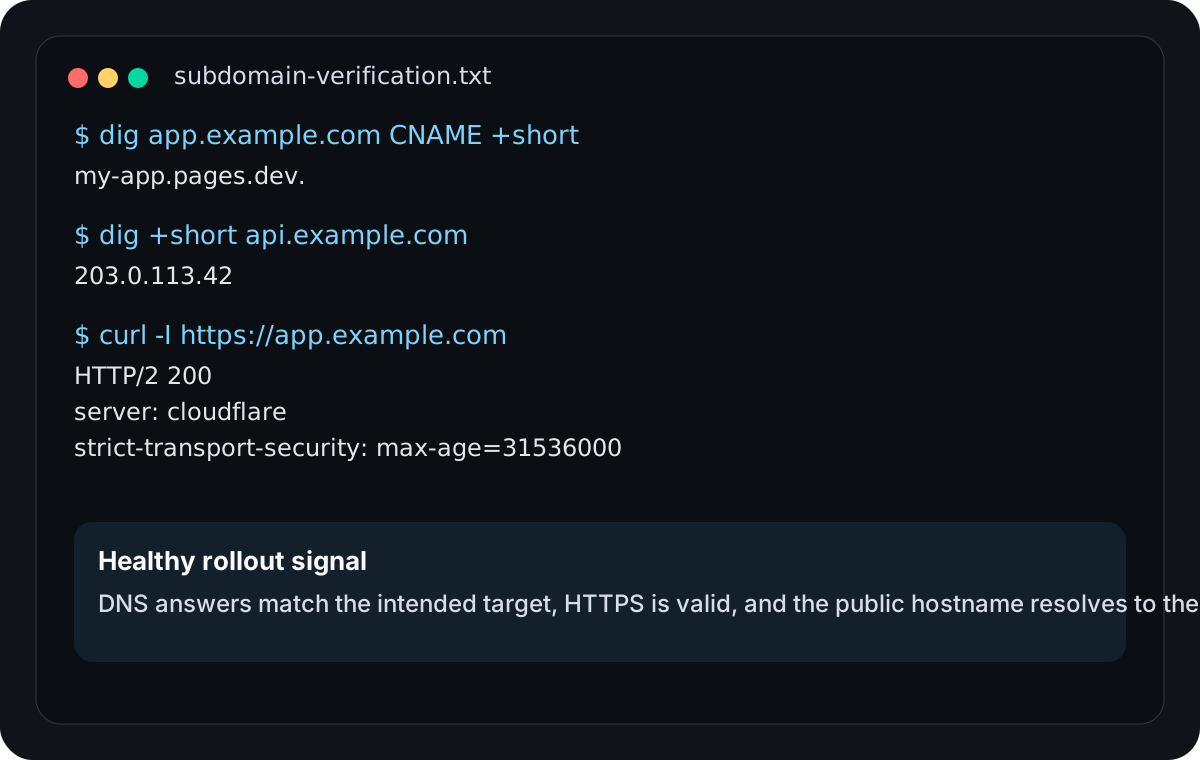
If the DNS answer is wrong, fix DNS. If the DNS answer is right but the app still fails, move on to origin and HTTPS checks instead of re-editing the record blindly.
6. Finish with HTTPS and an application check
Once DNS resolves correctly, verify the public response:
curl -I https://app.example.comTypical output for a healthy first pass looks like:
HTTP/2 200
server: cloudflare
content-type: text/html; charset=utf-8
strict-transport-security: max-age=31536000
A healthy first pass usually shows a valid TLS connection and either a 200, 301, or 302 response depending on the app.
What matters here is not the exact status code. What matters is that:
- the certificate is valid for the exact hostname
- the browser does not show a TLS warning
- the app responds as the right site, not as a default origin
Common failure cases
The record type is technically valid but operationally wrong
A team points a managed platform at an IP instead of using the hostname the vendor documents. The DNS answer works, but the setup becomes fragile as soon as the provider changes infrastructure.
DNS is correct, but the host binding is missing
dig returns the right answer, yet the browser shows the wrong site or a host-header error. At that point the DNS job is done and the origin configuration still needs work.
HTTPS was never issued for the new subdomain
The apex domain works, but docs.example.com fails because only the main certificate was configured.
A rollout checklist that holds up in practice
Before calling a subdomain setup complete, confirm all of these:
- the hostname is specific and intentional
- the record type matches the destination contract
- the destination is ready for that host
- DNS answers match what you intended
- HTTPS is valid for the exact hostname
- the browser lands on the correct app
That is not a glamorous checklist, but it is the one that prevents most avoidable subdomain mistakes.
Manual review
Need a root-domain name reviewed?
and.guide reviews specific root-domain subdomain requests manually. Approval is limited, provisioning is never guaranteed, and honest project context matters more than speed.