Guide
Subdomain Naming Rules for Public Projects
Choose subdomain names that stay clear, specific, and reviewable across docs, apps, APIs, status pages, previews, and staging environments.
This guide is for teams choosing names such as docs, app, api, status, preview, or handbook before a public rollout.
Naming looks cosmetic until it becomes infrastructure. A vague hostname makes support harder, weakens trust, and creates review friction because nobody can tell what should live there.
Naming checklist
Before requesting or publishing a subdomain, ask:
- does the name describe the public purpose
- will the same name still make sense in six months
- could a visitor infer what belongs there
- does the name avoid platform, brand, or authority confusion
- is the scope narrow enough for manual review
If the answer is no, the DNS record is not the problem yet. The name is.
Who this is for
Use this guide when naming:
- documentation sites
- public app surfaces
- APIs and webhooks
- status pages
- previews and launch candidates
- staging environments that must be visible for a short time
Good names are boring and durable
Good public hostnames usually say what the surface does:
docs.example.com
app.example.com
api.example.com
status.example.com
handbook.example.com
preview.example.com
Weak names usually describe an internal moment:
new-site.example.com
test-final.example.com
site2.example.com
temp-prod.example.com
demo-real.example.com
The weak names may be technically valid, but they age badly and make public review harder.
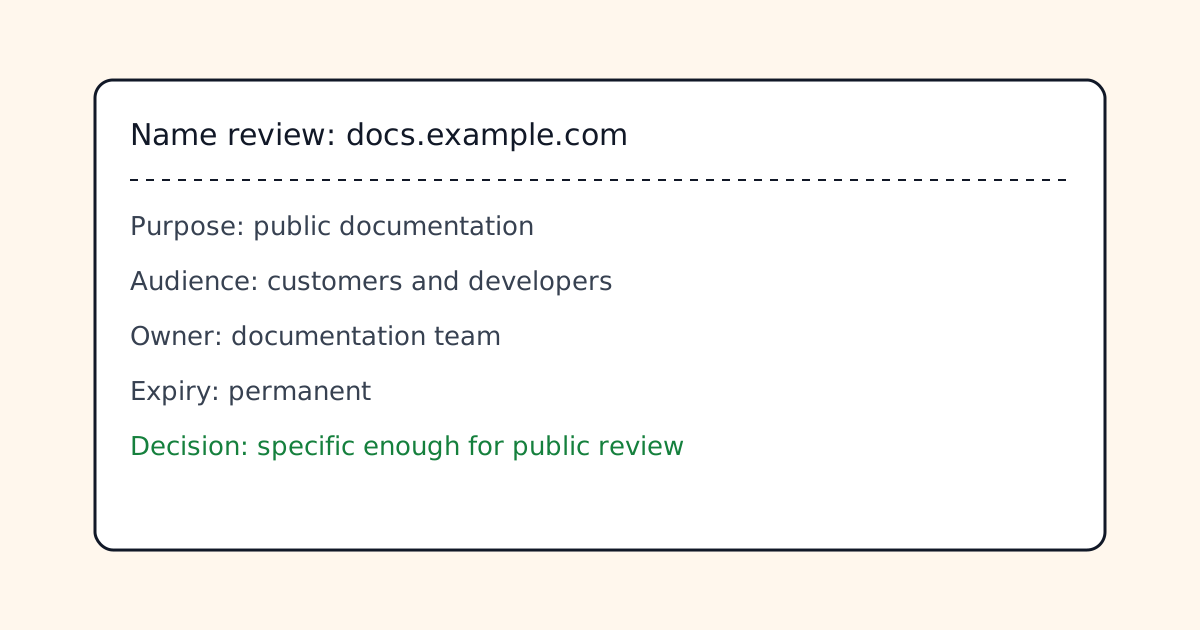
Field capture
A small naming worksheet can be more useful than another DNS edit. Capture the intended audience, owner, and expiry expectation before a name becomes public.
Reserve generic names carefully
Some names carry broad expectations:
adminloginsupportbillingcdnsecurestatus
They are not automatically wrong, but they need stronger justification because visitors may infer authority or account access. On and.guide, names that imply official platform functions are reviewed more conservatively than names that describe a small project or document surface.
Use previews honestly
Preview names should make their temporary nature clear:
preview.example.com
release-candidate.example.com
client-review.example.com
Avoid names that pretend a staging environment is production:
prod2.example.com
main-new.example.com
final-live.example.com
If the surface is temporary, pair the hostname with a cleanup plan.
Verification steps
Before publishing, check the name against three views:
dig docs.example.com +short
curl -I https://docs.example.com
Then ask a non-technical teammate what they expect from the name. If their answer is far from the actual content, revise before launch.
Common failure cases
- The name describes the deployment process instead of the visitor purpose.
- A staging host gets indexed because it looked production-ready.
- A generic name implies account, billing, or security authority.
- The team keeps a temporary hostname long after launch.
- Multiple subdomains overlap because nobody defined ownership.
Review rule
A strong subdomain name does not need a paragraph of defense. It should make the purpose, scope, and risk easy to understand before anyone opens the site.
Manual review
Need a root-domain name reviewed?
and.guide reviews specific root-domain subdomain requests manually. Approval is limited, provisioning is never guaranteed, and honest project context matters more than speed.