Guide
CNAME Flattening Explained
Learn what CNAME flattening does, why apex domains are special, and how to verify flattened answers without losing track of the real target.
This guide is for teams connecting an apex domain or provider-managed target and trying to understand why a hostname behaves like a CNAME but answers like an A record.
CNAME flattening exists because a normal apex domain cannot be a plain CNAME in the same way a subdomain can. Providers solve this by following the CNAME target internally and returning address records to resolvers.
Pre-flight checklist
Before relying on flattening, confirm:
- whether the record is at the apex or a regular subdomain
- whether your DNS provider supports flattening
- what provider hostname you are trying to follow
- how you will verify the flattened answer
- whether the destination provider expects host binding or separate validation
Flattening is not magic routing. It is DNS answer synthesis.
Who this is for
Use this guide if you are setting up:
example.compointing at a managed platform- an apex domain for a static hosting provider
- a provider target that changes IPs over time
- a migration where you need to keep following the provider hostname
What flattening changes
A normal subdomain CNAME might look like this:
www.example.com. 300 IN CNAME example-host.provider.net.A flattened apex can be configured with a provider hostname, but public queries may return address records:
dig example.com +shortOutput:
203.0.113.18
203.0.113.19
That does not mean the provider hostname was ignored. It means the DNS provider resolved the target and returned address answers.
Field capture
For flattening, capture both the configured target and the public resolver output. Without both, later debugging gets muddled quickly.
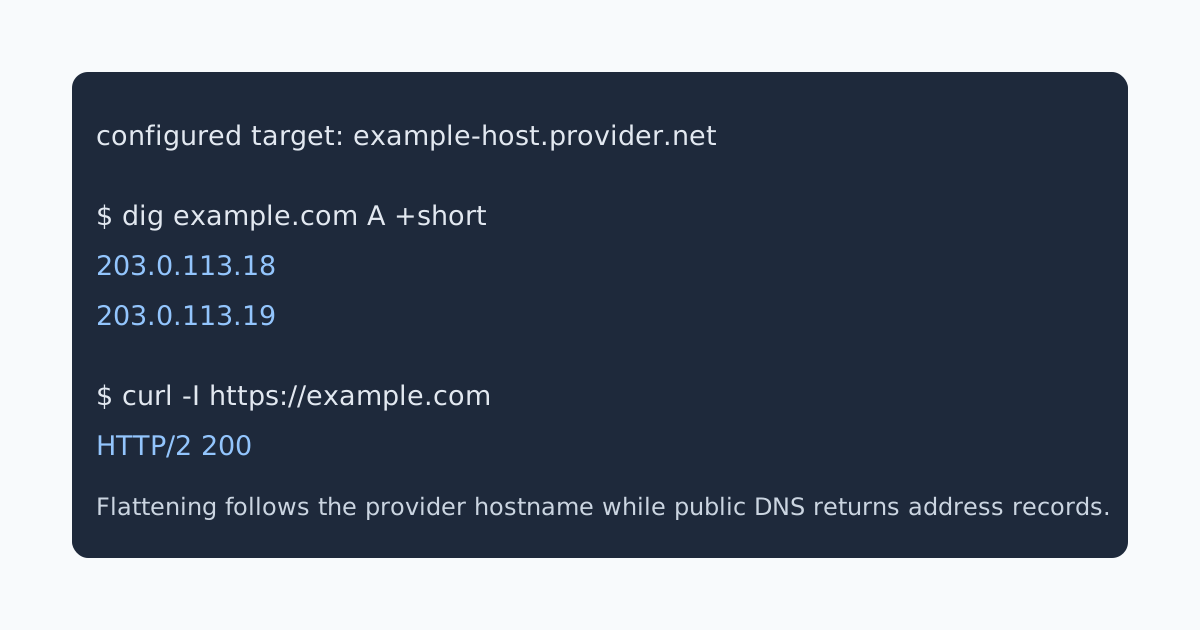
Verify with traceable checks
Start with the public answer:
dig example.com A +shortThen check the destination from a browser perspective:
curl -I https://example.comHealthy output means the hostname reaches the expected service and HTTPS covers the apex:
HTTP/2 200
content-type: text/html; charset=utf-8
If the DNS answer is present but the app returns the wrong site, the issue is probably provider-side host binding, not flattening itself.
Common failure cases
- The team expects to see a CNAME answer from a flattened apex.
- The flattened record follows the provider target, but the provider has not accepted the custom domain.
- Old A records remain alongside a flattened setup.
- HTTPS is issued for
wwwbut not for the apex. - People compare apex behavior to subdomain behavior without accounting for flattening.
Review rule
CNAME flattening is useful when the destination contract is provider-managed but the hostname is apex-like. It should be documented clearly enough that the next operator knows what target is being followed and what public answer to expect.
Manual review
Need a root-domain name reviewed?
and.guide reviews specific root-domain subdomain requests manually. Approval is limited, provisioning is never guaranteed, and honest project context matters more than speed.