Guide
Local Development with Custom Domains
Use custom domains locally without turning your setup into a guessing game. This guide covers hosts files, local DNS, HTTPS, and when to use a real public subdomain.

Use custom domains locally without turning your setup into a guessing game. This guide covers hosts files, local DNS, HTTPS, and when to use a real public subdomain.
localhost is fine until the thing you are testing depends on a real hostname.
That change usually happens earlier than teams expect. The moment cookies, OAuth callbacks, webhook URLs, or host-based routing enter the picture, a custom local domain stops feeling fancy and starts feeling necessary.
Before you start
Write down these four things first:
- which hostnames you actually need locally
- whether only one machine needs them or several devices do
- whether HTTPS is required for the flow you are testing
- whether the outside world needs to reach the environment
That last question is the one that separates “better local naming” from “time to use a real public hostname.”
Who this is for
Use this workflow if you need to test any of the following locally:
- multiple services such as
app.local.testandapi.local.test - cookies that behave differently on a real hostname
- OAuth or callback flows that should not point at
localhost - host-based routing that will later run behind a public subdomain
The easiest subdomain requests to review on and.guide usually come from teams that already know this difference: some problems need a better local domain, while others need a real public hostname.
Start with the smallest realistic setup
If only one developer on one machine needs the hostname, the simplest working setup is usually:
- a hosts file entry
- a clear naming pattern
- local HTTPS
That gets you most of the realism without adding new infrastructure too early.
1. Use a hosts file for single-machine testing
The minimal version looks like this:
127.0.0.1    app.local.test
127.0.0.1    api.local.test
This is often enough for:
- cookie testing
- local API routing
- frontend and backend running on separate local names
- checking how the app behaves on a domain-like host instead of
localhost
The main limitation is that it only works cleanly on the machine you edited.
2. Add HTTPS early with mkcert
For realistic browser behavior, add local certificates before the workflow becomes messy.
Example:
mkcert -install
mkcert app.local.test api.local.test
Typical output looks like:
Created a new local CA
The local CA is now installed in the system trust store
Created a certificate valid for:
 - "app.local.test"
 - "api.local.test"
Field capture
For a healthy local-domain setup, the useful proof is not just the hosts entry. It is the certificate generation and the first HTTPS response working together.
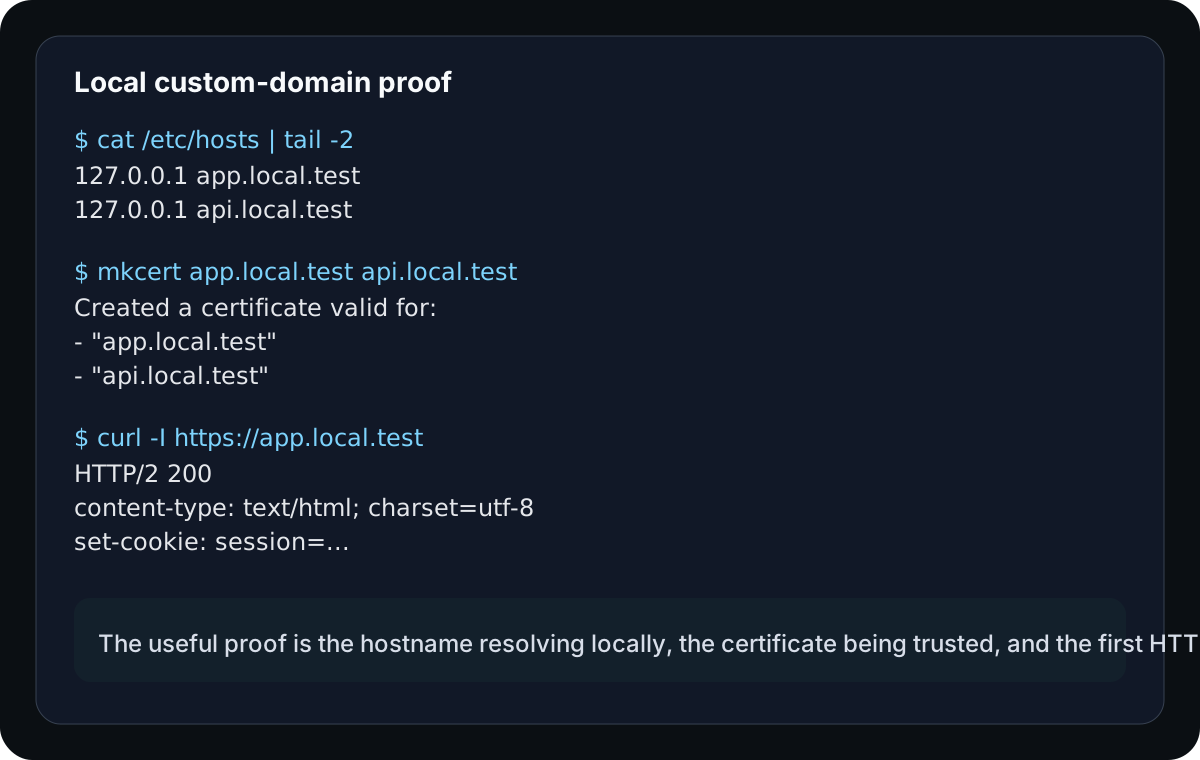
Once those files exist, wire them into your local dev server or reverse proxy. That step matters because secure cookies, browser APIs, and callback flows behave much closer to production over HTTPS.
Example local reverse proxy setup
For a small local stack, a Caddyfile can be enough:
app.local.test {
  tls ./certs/app.local.test.pem ./certs/app.local.test-key.pem
  reverse_proxy 127.0.0.1:3000
}

api.local.test {
  tls ./certs/api.local.test.pem ./certs/api.local.test-key.pem
  reverse_proxy 127.0.0.1:4000
}
The exact proxy is not important. What matters is that each hostname is terminated over HTTPS and routed to the service that expects it.
3. Move to local DNS when more than one device matters
Hosts files stop being pleasant when:
- multiple developers need the same names
- phones or tablets need to resolve the local environment
- a shared lab or office network is part of the test path
At that point, local DNS is usually cleaner than copying manual entries to every device.
4. Know when local is no longer enough
A custom local domain is still local. It does not magically become public just because it looks polished.
If a third-party system needs to reach your app, you need either:
- a tunnel to the local environment, or
- a real public environment behind a stable hostname
That is usually the moment when a dev or preview subdomain becomes more useful than one more layer of local workarounds.
A practical local setup
For a single developer, a solid baseline looks like this:
127.0.0.1    app.local.test
127.0.0.1    api.local.test
mkcert -install
mkcert app.local.test api.local.testThen point your dev server or reverse proxy at those certificate files and verify the app actually serves the expected hostnames.
After that, a quick response check should look ordinary instead of mysterious:
curl -I https://app.local.testHTTP/2 200
content-type: text/html; charset=utf-8
set-cookie: session=...Common failure cases
Everything worked on localhost, then cookies broke
That usually means the app was never tested under the domain conditions it will actually use later. A real local hostname catches this much earlier.
The certificates exist, but the server is not using them
mkcert only creates the files. Your local server, proxy, or framework still has to be configured to serve them.
Teams mix too many naming patterns
If one service uses app.local.test, another uses local.app, and a third uses dev.localhost, confusion grows faster than the environment.
A local domain is mistaken for a public integration endpoint
If Stripe, GitHub, or another external service needs to call you, a local-only host is not enough. That is the point where a real public hostname or tunnel belongs in the conversation.
Recommended default
For one developer on one machine:
- use a hosts file
- use a consistent
.local.testnaming pattern - add HTTPS with
mkcert
For shared testing or public integrations:
- move to local DNS or a shared environment
- use a stable public subdomain when outside systems need access
Practical takeaway
Custom local domains are valuable because they make development behave more like the public web. The right setup is the smallest one that matches the behavior you actually need to test, no more and no less.
Manual review
Need a root-domain name reviewed?
and.guide reviews specific root-domain subdomain requests manually. Approval is limited, provisioning is never guaranteed, and honest project context matters more than speed.