Guide
GitHub Pages Custom Domain and HTTPS
Set a GitHub Pages custom domain, verify DNS, enable HTTPS, and avoid stale CNAME and certificate problems.
This guide is for maintainers publishing project docs, static handbooks, or small sites from GitHub Pages under a custom hostname.
GitHub Pages is simple when the repository settings, DNS record, and CNAME file agree. It becomes confusing when only two of those three are correct.
Pre-flight checklist
Before editing DNS, confirm:
- the repository or organization that owns the Pages site
- the exact custom domain in Pages settings
- whether you are using an apex domain or a subdomain
- whether a
CNAMEfile exists in the published branch - whether HTTPS enforcement is available after DNS validates
If you are moving a hostname from another provider, capture the old DNS answer before changing it.
Who this is for
Use this workflow for:
docs.example.comserved from a documentation repositoryproject.example.comserved from a project page- a small static site that does not need server-side behavior
- public technical notes that should have a stable address
1. Set the custom domain in GitHub
Open the repository settings for Pages and set the exact custom domain.
For a subdomain, the DNS shape is usually:
Type: CNAME
Name: docs
Value: username.github.io
TTL: 300
For an apex domain, GitHub documents A and AAAA record options. Use the official values from GitHub’s docs instead of copying an old blog post.
2. Keep the CNAME file aligned
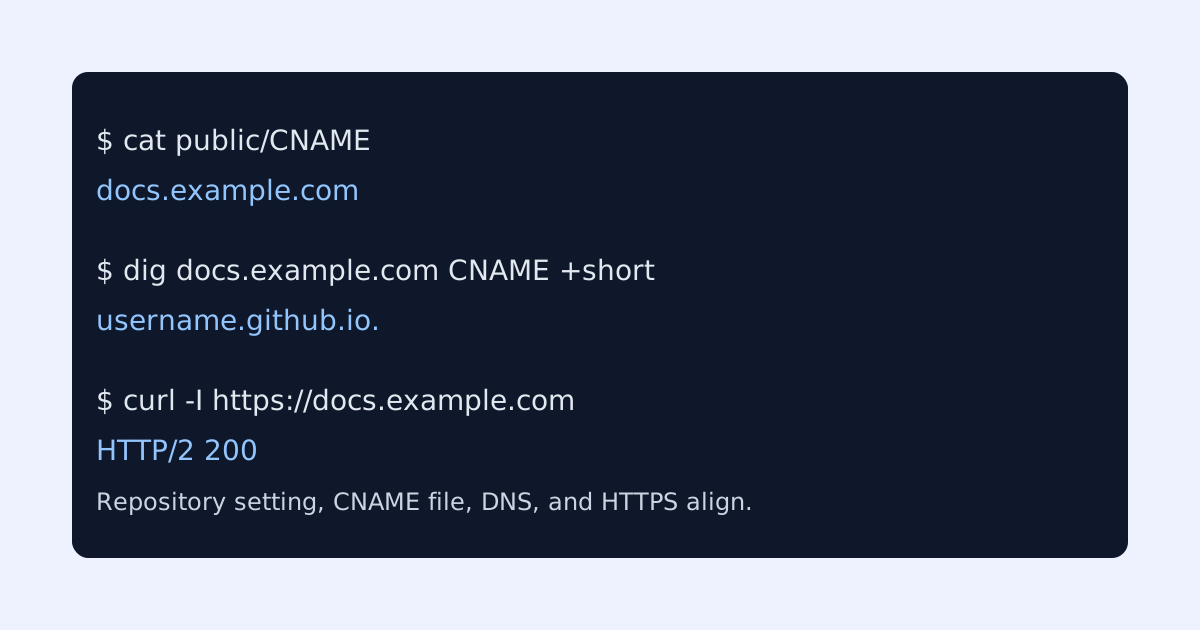
GitHub Pages commonly writes a CNAME file containing the custom domain:
docs.example.comIf your build process deletes that file, the custom domain can disappear after deployment. This is a classic static-site failure: DNS is correct, but the published artifact no longer tells GitHub which host to serve.
Field capture
Keep a simple capture showing the public CNAME answer and HTTPS response after GitHub finishes issuing the certificate.
3. Verify DNS and HTTPS
Check DNS:
dig docs.example.com CNAME +shortExpected shape:
username.github.io.Then check HTTPS:
curl -I https://docs.example.comHealthy output should show a successful HTTP response over TLS:
HTTP/2 200
content-type: text/html; charset=utf-8
If HTTPS is not available yet, revisit Pages settings and wait for certificate provisioning. Do not keep changing DNS while GitHub is still validating.
Common failure cases
- The repository has a custom domain, but the DNS CNAME points at the wrong GitHub Pages host.
- The
CNAMEfile was removed by a static-site build. - HTTPS enforcement is clicked before DNS validation has completed.
- A previous A record still exists for the same name.
- The site works at
username.github.iobut not at the custom domain.
Launch checklist
Before sharing the custom domain, confirm:
- GitHub Pages settings show the expected custom domain
- the published branch includes the expected
CNAMEfile when needed - public DNS returns the GitHub Pages target
- HTTPS is valid for the exact hostname
- internal links and canonical tags use the custom domain
GitHub Pages is a good fit for stable docs and project pages. The main discipline is keeping repository settings, DNS, and the published artifact synchronized.
Manual review
Need a root-domain name reviewed?
and.guide reviews specific root-domain subdomain requests manually. Approval is limited, provisioning is never guaranteed, and honest project context matters more than speed.